Category: Gadgets & Toys

Victorinox Virtuoso

Several people liked my earlier post linking to a set of hints and tips about how to use a 'Swiss Army' Victorinox penknife.

Since then, I've discovered the wonderful Youtube channel by Felix Immler (and I note that more than a quarter of a million other people have subscribed too). Part of the fun is that Felix is making his videos on the side of a Swiss mountain (of course) and sometimes has to pause because the wind is too strong or because the nearby cowbells get too loud!

Here's one of his playlists: Victorinox Tips and Tricks - and as a couple of examples, have you ever wondered why you might bother with the small blade on your penknife?

Later clips give you more details on how to use it.

Also, if you need to use the corkscrew, do you just twist it into the cork and pull? There may be better ways...

Victorinox Versatility

I used to have a 'Swiss Army Knife' when I was young, lost it long ago, and have just ordered another.

In the intervening time, the web has happened, and it turns out there are a vast multitude of pocket-knife enthusiasts out there discussing their preferred EDC ('Every Day Carry') penknives, arguing over which manufacturers use the best steel, and, even within the Victorinox fold, debating the relative merits of the Mountaineer, the Rambler or the Super Tinker. Victorinox have dozens of models to choose from, and, though there are many other options — I'm a big fan of my Leatherman Wave, for example — the company does seem to inspire particular loyalty.

But if you have one of their larger offerings and have been wondering just why you might need the little hook, the awl (or even, these days, the corkscrew) then you might enjoy this example of the kind of helpful material now available for those wanting to make the most of their EDC.

Peaceful Power

I appreciate that the proportion of my readership who possess an ePropulsion electric outboard motor maybe rather small, and that my latest YouTube video may therefore have rather, shall we say, niche appeal.

But the rest of you could, if you wanted, watch a couple of minutes to see how pleasant it is pottering up and down the River Great Ouse without the noise of internal combustion!

A Kindle for the Press?

You know how, if you find a really good restaurant, or holiday location, or B&B, you wonder whether or not to tell the world, because it might be spoiled if too many people knew about it?

Well, I have similar feelings about a service which is available for free to many, perhaps most, UK residents, but which I fear might become prohibitively expensive for the provider if too many people actually took it up. So, ssssh!   Don't tell everyone!  But...

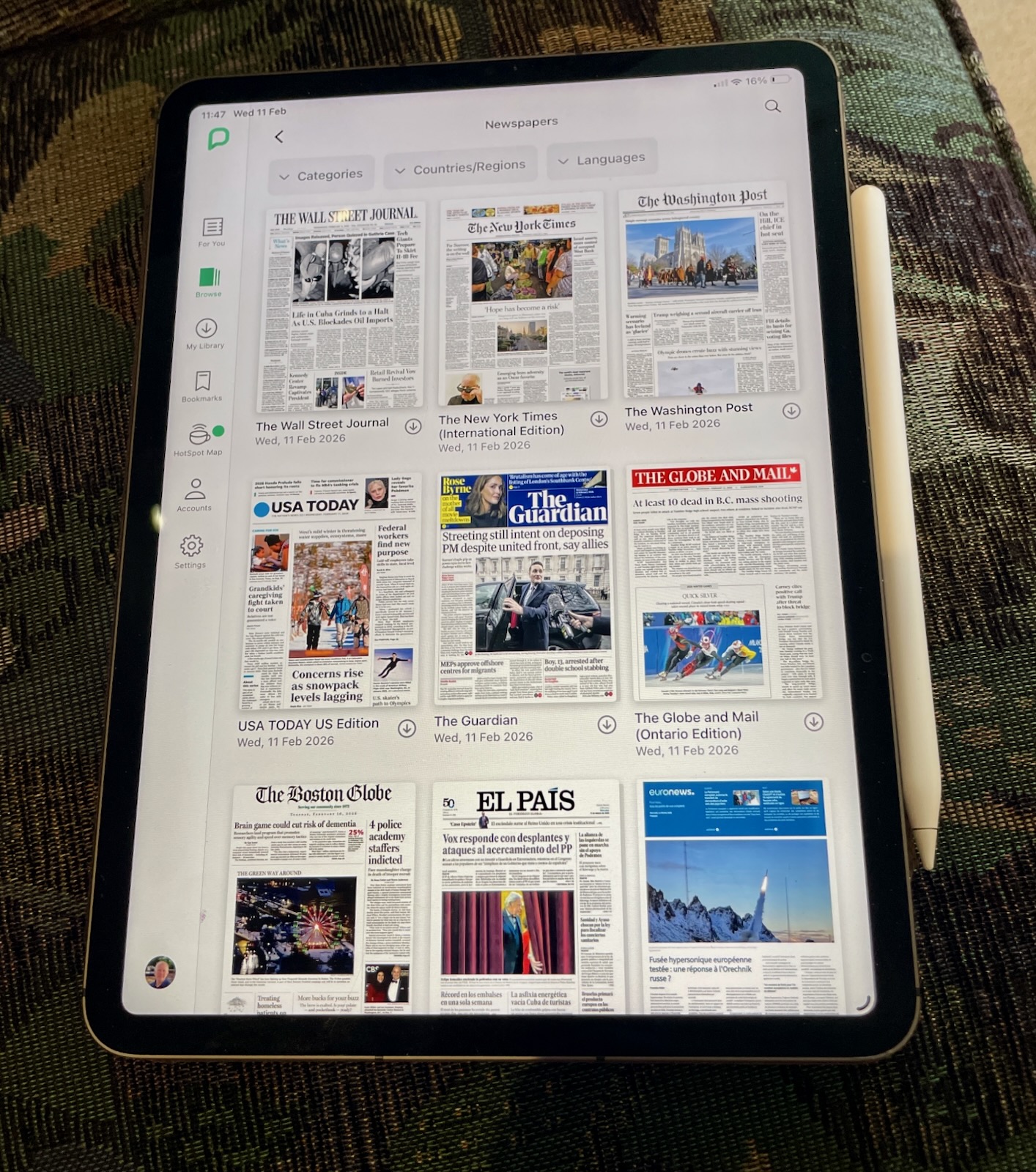
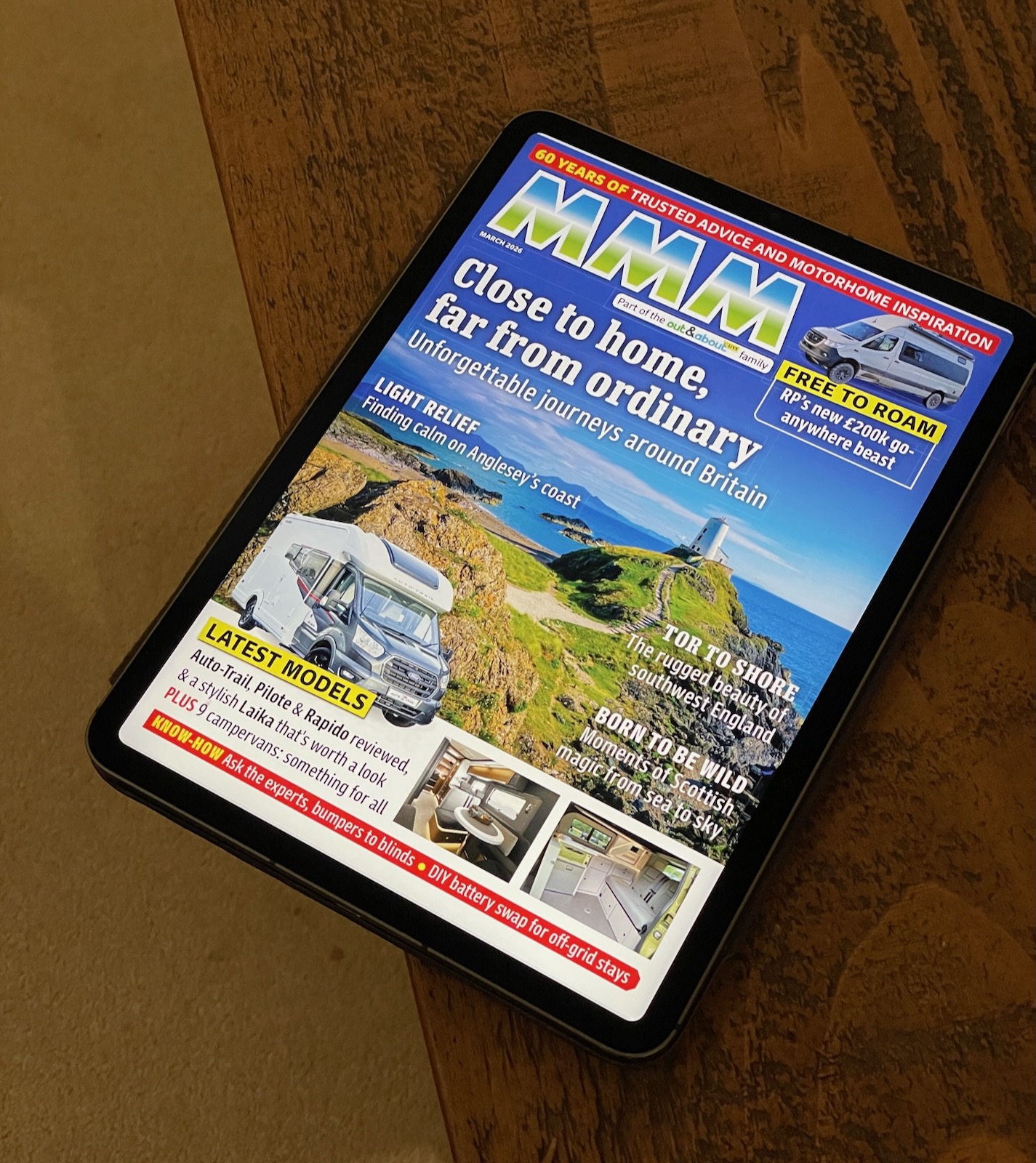
I discovered, almost by accident, that when I re-joined our local town library recently, this gave me not just a card for borrowing books and paying the fines when I return them late, but also a username and password to prove I'm a member.   And one of the things they let me use is PressReader, a site through which you can access a vast number of newspapers and magazines.  For free.

So, for example, if I have the urge to read the New York Times or Le Monde,  The Economist or The Guardian, Condé Nast Traveller or Good Housekeeping, The New Yorker or New Scientist, Practical Boat Owner or Amateur Photographer, Macworld or What HiFi?, Popular Mechanics or Gardeners' World, Wired or Cosmopolitan... well, you get the idea.  They're all there, with dozens, perhaps hundreds, more, and as far as I can gather, all free, courtesy of my local library! (Update: Other libraries may offer different selections, I gather...)

Anyway, I guess the idea is that if I took a stroll into town, I could read them for free there, but I do wonder, even then, whether it would be as easy to pick up current and back copies of La Cucina Italiana or Toronto Life, should I have the urge, as it is through this service.

Now, of course, it's not as enjoyable reading these on a laptop or desktop computer screen as it would be plucking a paper magazine from your coffee table, but if you have an iPad or similar tablet, you can get a good experience, and there's a PressReader iPad app which makes it pretty smooth.

I have always loved my iPads, and use them much more than my phone.  I think I was one of the first people in the UK to own one, because sixteen years ago I happened to fly into the States on the day it was launched there and had pre-ordered this exciting new device which wouldn't arrive in Europe until a few months later.  Some of my friends dismissed it at the time as just being a device for content consumption rather than creation, but that never bothered me, and I pointed out that I quite liked books too!

So I'm interested to see, looking back, that my post the following morning began as follows: "Apple has created a new kind of device – the coffee-table computer."   Well, perhaps PressReader is the perfect embodiment of that!

iOS cursor control

If you've used a platform for a considerable period, then it's easy to miss new features as they are added over the years, unless you like to spend a lot of time reading release notes. And so it is that I have only this morning discovered an iOS feature that is probably completely obvious to almost all of you... but I'm about to do the rest of you a big favour!

One feature of my iPad keyboard I use all the time is the ability to reposition the cursor in a block of text by resting two fingers on the keyboard, after which you can move the cursor around like a mouse/trackpad. I've long mourned the fact that there wasn't an equivalent on my phone.

Well, it turns out that there is: you just press and hold the spacebar. After a short pause, the keyboard turns grey and becomes a trackpad. (This method works on the iPad too, though the two-finger version is slightly quicker.)

It turns out that this phenomenally useful trackpad facility was added in iOS 12... eight years ago! And I've just discovered it now. But, to be fair, when announced, it wasn't available on all iPhones, only the newer ones, and so didn't apply to me. Unless you're upgrading your device regularly and promptly, it's easy to forget what new features you've got when you finally walk out of the Apple Store several years down the line, especially if, like this, they're somewhat hidden away.

Anyway, this all reminds me that from time to time it's worth going back to really simple documents like this one about how to use your phone keyboard and just checking that you haven't missed anything.

Meanwhile, I'm going to practice shifting my keyboard under my thumb, and swipe-typing and repositioning my cursor just like every 10-year-old learns how to do in the playground.

Lesser-known uses of the Apple Watch

Camera Remote on an Apple Watch

I was doing some electrical work on the lights in our guest bedroom this morning, and wanted to turn the power off at the fuse box before I did so.

However, we have a lot of circuit breakers, and, though I have most of them carefully labelled, the three controlling the upstairs lights were not among them. So I was expecting to do a fair bit of running up and down stairs to see whether the one I had switched off did in fact control that particular light.

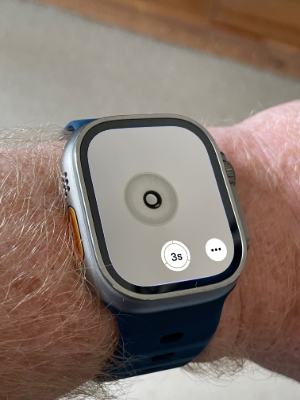
"There must be a technological solution to make this less energetic!", I thought... and then remembered that my Apple Watch has the 'Camera Remote' app, which can give you a remote viewfinder for your phone's camera. So I put the phone on the bed pointing up at the light, trotted downstairs, and flipped switches until my watch showed that the light had switched off. Perfect!

(I was feeling very pleased with myself for this solution, and only rather later did I remember that, since all the lights in the house are under the control of my Home Automation system anyway, I could simply have looked at that to see when the light had gone offline! But perhaps that wouldn't have happened quite so instantly.)

Making 'social' social again?

Back in about 1996, I was attending a conference in San Francisco. As we walked into the Moscone centre to register, we were all given not only the usual branded bag and bits of paper, but something much more exciting: a box containing what was to become my first true pocket-sized mobile device, the recently-released Palm Pilot.
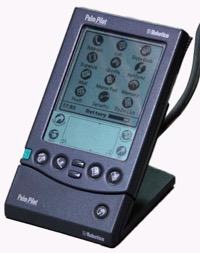
Palmpilot professional cradle.

I don't know whose idea it was to give these to everybody attending the conference, or how the finances worked, but it was a brilliant move. Not only was it an exciting surprise, but we immediately had an application for it: the conference proceedings were available on it, and you could slip it into your back pocket; something you certainly couldn't do with the paper equivalent. And there was something more important, which I'll come back to in a moment.

But for those less ancient than me, I should perhaps explain that what was brilliant about the Palm Pilot was the things it didn't try to do. It had been preceeded a couple of years before by the Apple Newton, for example, which was a lovely device, but just tried to do too much and was thus expensive, large and heavy on power. The Palm guys realised that what people really wanted was just a cache, in their pocket, of the stuff they had on their PC. (Laptops were heavy, and expensive, with a short battery life, and you had to wait for Windows to boot up before you could check someone's address. You might have one in your hotel room, but you probably wouldn't carry it around.)

With the Palm devices, though, you would create and manage most of the content on your computer, which had a proper keyboard and screen. When you got back to your desk, you'd plug the device into its cradle, press the sync button, and any changes would zip to and fro, after which you could unplug it and put it back in your pocket. If you had migrated away from paper diaries and address books to keeping data on your PC, this allowed you to have that information back in your pocket again.

But you did have to plug it in to its cradle periodically, where it could talk to the PC using an RS-232 serial port. This was before 802.11 (the standard which, several years later, would become known as 'WiFi') and the Palm Pilot had no other networking. Well, almost none.

And that was, I think, really important.

You see, the lack of WiFi meant that it couldn't distract you all the time with incoming messages. You could read email on it, but only the email that had been received on your PC when you last plugged the two together. So you would actually listen to what was being said at the conference: something almost unheard of these days!

But the device did have one further trick up its sleeve: it had infrared capabilites. It could exchange information with other Palm Pilots (and later with some other devices), using the same kind of line-of-sight connection that TV remotes used. That meant that for me to get your address and you to get mine, we needed actually to have met and collaborated in the exchange. I could send you my contact details across a conference table or while having a drink at a bar, in much the same way I could give you a business card, but it was so much more convenient because there was no need to transcribe the information afterwards if you wanted it in digital form.

This did require both of us to have Palm Pilots, of course, so what better way to kick this off than to make sure that, at a few key tech conferences, almost everybody you bumped into, for several days, would have one in their pocket?

~

Back in the early days of LinkedIn, there was a similar culture of only linking to people you actually knew; in fact, not only knew, but endorsed. I joined the beta release back in early 2004, and to this day I normally only link to people I've at least actually met, though in more recent years I've extended that to include 'met on a video call' or 'had really quite a long phone call with'.

Nowadays, I do sometimes wonder why I'm still on LinkedIn, since it's the source of more spam in my inbox than anything else. I'm not really out hunting for jobs. I've always joked -- and it's almost true -- that I've never got any job I applied for and I've never applied for any job I got. And I'm not recruiting people either at present. LinkedIn is very much a work-related system, but having dropped in to the website just now for the first time in ages, I must confess that there was more interesting content on there than I expected, perhaps because it is linked to people I actually know in real life.

(Increasingly, social networks are things I visit in the same way I might visit parties; drop in for a while, see what the atmosphere is like, leave if it doesn't appeal, but maybe visit again a few weeks later. I've just deleted the Twitter app from all my devices because I realised I could still drop in there using the web if wanted, but I didn't need its content, or its notifications, delivered to my pocket.)

~

Anyway, I was thinking about all of this as I read Ev Williams' article, Making "Social" Social Again, in which he announces the launch of Mozi. This is meant to be a social network to help you with your actual social life (and not a 'social media' platform). It's about getting and maintaining up-to-date contact information for your friends, and knowing about their travels so you could meet up with them.

I don't know whether it'll succeed. There's always the problem of bootstrapping a network when you can't, say, give several hundred people a sexy new device that they'll all be carrying around in their pockets for a few days. But it would be good to have something that is primarily about contacts rather than content, and yet isn't primarily about work.

And he reminded me about Plaxo:

As I was making my birthday list, another, more practical, thing struck me: I had no go-to source for knowing who I knew. No online social network reflected my real-life relationships. The closest thing, by far, was the contacts app on my phone.

And, boy, was that a mess. I'm guessing, yours is too.

Why?

Twenty years ago, there was an internet company called Plaxo. There have been others like it, but Plaxo was the first big online address book. I remember thinking it was one of those simple but profound twists on an old product that was now possible because of the internet, i.e.: Why do I have to keep details up to date for hundreds of people in my address book? Now that we have the internet, you can update your address in my address book, and I only have to keep mine updated.

It was an obvious idea. And here we are, 20+ years later, with address books full of partial, duplicate, and outdated information.

Anyone encountering the same problem while writing Christmas cards?

The problem with Plaxo was that it required you to upload your address book to their servers, and I always felt uncomfortable with that. When someone gives you their details, their is an element of trust involved. They might not want you to broadcast their home address to the world, and they're kind of assuming you won't.

But nowadays, most people do this anyway, they just often don't know that they're doing it. It's one of the reasons that, for a long time, I didn't want to have anything to do with WhatsApp, Facebook and Instagram. But I abandoned my principles last year when I realised that all those friends I was trying to protect were already using those services and so all of their contact information was there anyway. And, because of them, so was mine. GDPR, eat your heart out!

Signal, in contrast, has a much better system which allows them to discover whether your contacts are on Signal without actually uploading your address book. In a world where we have these kind of techniques, and end-to-end encryption, and protocols for sending contact information, why is it that I can't give you the permission to update your entry in my address book without my address book being stored on someone else's servers?

I don't know if Mozi will enable that. If they do, then I'll believe we've made some progress from last millennium, when I could send you my current information with a couple of clicks and a beam of infrared.
The FreshWash Clip - Every home should have one!

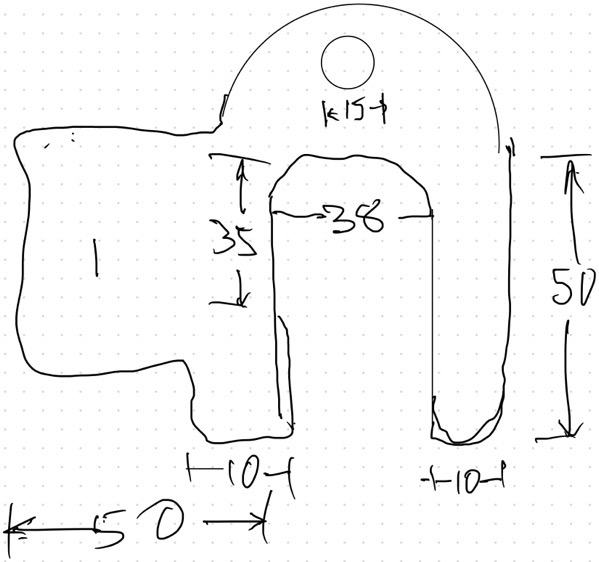
This afternoon I went into our little utility room, made some measurements, and created this beautiful work of art on my iPad:

Rough sketch of clip

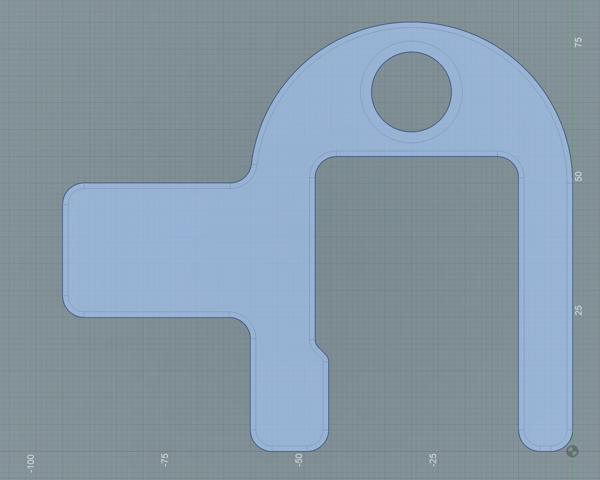
I then went upstairs and opened up my CAD program, where I was able to turn it into this:

Flat sketch of clip

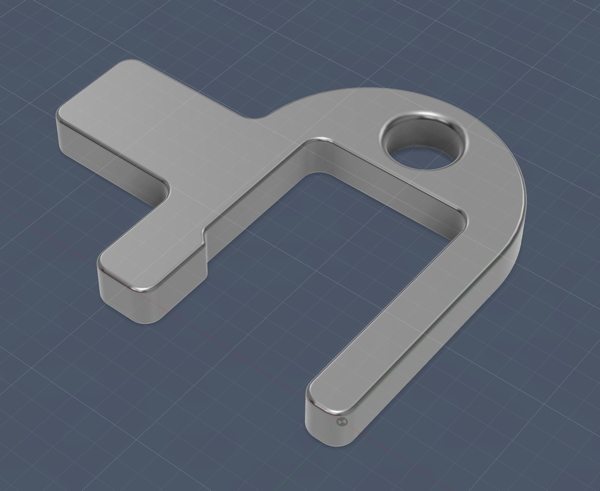
And extrude it into three dimensions, so it looked like this:

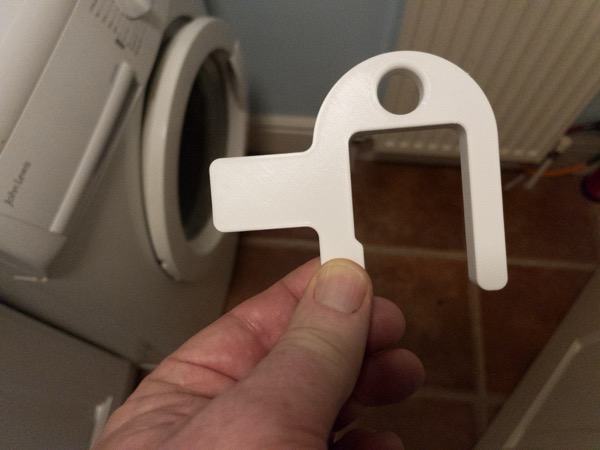
whence I could 3D-print it, to get this:

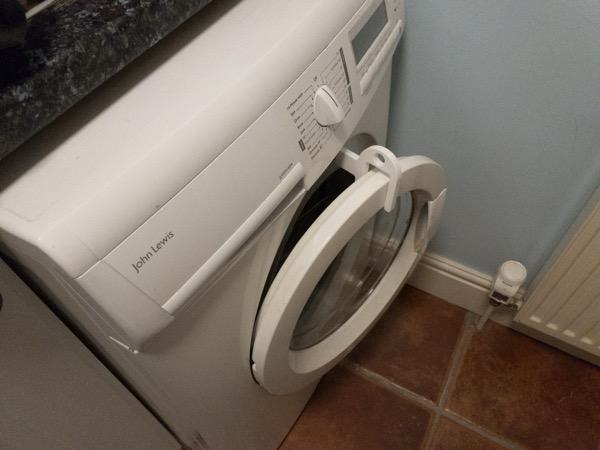
Now, as most of you stand amazed, there may yet be some readers for whom its use isn't immediately obvious, so I should explain.

If, like us, you don't have kids, and therefore don't need your washing machine to be running 24x7, the seals and the inside of the drum stay fresher and nicer if you can prop the door open and let them dry between washes.

And so I created the FreshWash Clip™️.

It works perfectly, and I get a deep, if childish, satisfaction from it. The hole on the top makes a bit of a handle so it's easier to clip on and off, and can also be used to hang it on a hook on the wall.

This particular model is sized precisely for our elderly and out-of-production model of John Lewis washing machine, so I doubt I'll be producing it en masse, but no doubt Chinese entrepreneurs will seize the opportunity to prove a whole range of different sizes and colours, and on Etsy you'll soon find artisanal variants lovingly crafted from bamboo.

And as FreshWash Clip mania takes hold, and no home can be considered complete without one, please remember that you saw it here first!

Five years before the iPhone

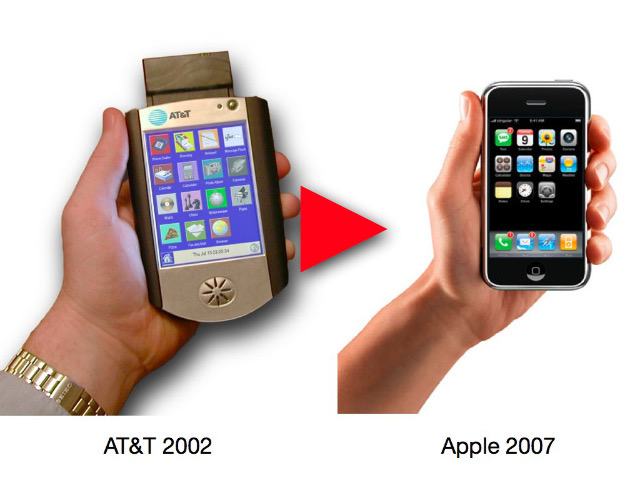
Trying to organise some of my old video footage recently, I came across a little demo I recorded of the AT&T Broadband Phone, a project we started in 1999 but which, sadly, died, along with the research lab that had created it, in 2002.

Looking back at it now, I notice how slow-paced it is compared to the typical YouTube video of today! So if you watch it, you might need a little patience! Nonetheless, it's quite fun to see some of the ideas we were considering back then, five or six years before the launch of the iPhone... things like the suggestion that streamed music "might be a service offered by a record company, where you pay a small amount for each track", for example...

Cordless Broadband phone and iPhone comparison

Direct link.

(P.S. I had an idea I had written about this here before... and indeed discovered that I had... but not since 2008, about eighteen months after the iPhone was launched.)

The Geek's Prayer

From Phil Giammattei's Mastodon feed...

Lord, grant me the acumen to automate the tasks that do not require my personal attention,
the strength to avoid automating the tasks that do,
and the wisdom to know the difference.

(Thanks to Rupert Curwen for reposting.)