My ageing Nokia E61 was, in many ways, an excellent phone - it was my TomTom, my Blackberry, a pretty good web browser, but it was starting to have occasional hiccups, and 'out of memory errors' once I started syncing over 1000 contacts to it from my Mac. It was time for a replacement, and an iPhone would be the natural thing for someone who loves the iTouch as much as I do, but I'm in the twilight zone at the end of a service contract and to switch suppliers would be expensive at present; besides, I won't be surprised if there's a new iPhone in the summer.
So I opted for a second-hand E71 from eBay, having read rave reviews for it, and I have to say it's a very nice device. It's familiar, being a successor to the E61, and adds a reasonable 3MP camera, a GPS - even, I discovered this morning, an FM radio - all in a much smaller and sexier package.
What many Nokia smartphone users may not know is that Nokia give out some quite interesting bits of software from time to time. Nokia Messaging makes up for the fact that I can't install Blackberry Connect on this device, for example.
My only real disappointment was with the battery life, which was poor even by 3G smartphone standards. But even there, help was at hand in the form of the Nokia Energy Profiler - a very cool tool which can monitor all sorts of things.
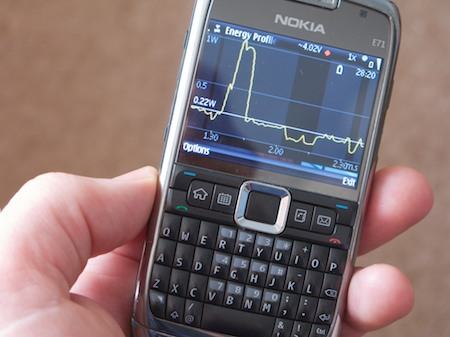
If you leave this running as a background process you can try making adjustments to your configuration to see the effect. The peak in the power consumption shown on the screen was when I turned the camera on, for example.
Through this I discovered that switching off HSPDA - leaving me with 3G but not '3.5G' - would give me a substantial cut in power usage, and hopefully extend my normal battery life beyond a day... we'll see how it goes!
Update: Well, it didn't notably extend my battery life. But what did
make a difference was switching the 'Packet data connection' setting from 'When available' to 'When needed'. Now I get a whole day and a bit more.
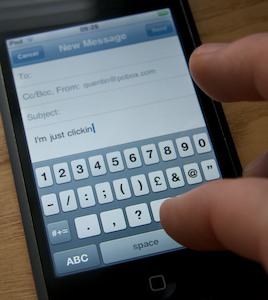 My friend Ray Gordon recently gave me one of the most useful iTouch/iPhone hints I've had in some time. If you already know this, it is blindingly obvious, but if you don't, you definitely want to!